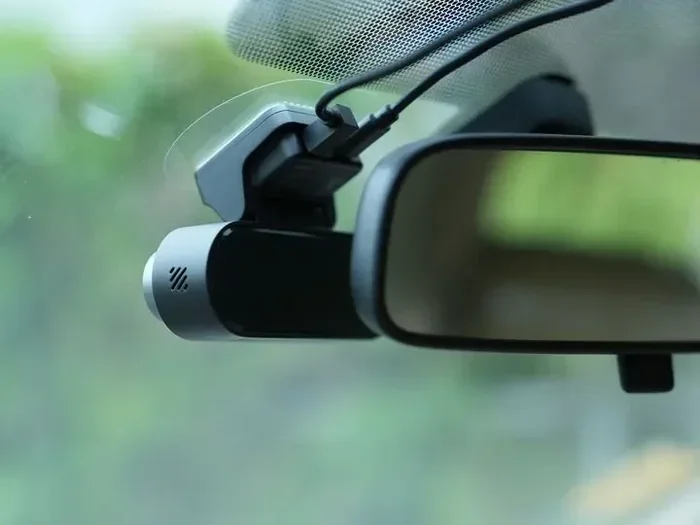
Do You Always Leave a Dash Cam in the Car All the Time
Do You Always Leave a Dash Cam in the Car All the Time? The short answer is yes, you can, but it depends on your setup and how long you park. A dash cam left running all the time can capture crucial incident footage even when your car is parked. However, you need to understand battery drain, parking mode, and proper power source options to avoid problems.
Do You Always Leave a Dash Cam in the Car All the Time? It is a question almost every dash cam owner asks at some point. Whether you just bought your first unit or have been using one for years, this decision matters more than you might think. Leaving your dash cam plugged in around the clock can mean the difference between capturing a hit-and-run and missing critical incident footage entirely. At the same time, running your device 24/7 can cause real problems if you are not careful.
The good news is that modern dash cams are smarter than ever. They come with features like parking mode, loop recording, and motion detection that make all-day use practical. But knowing how to set things up correctly is the key. In this article, we will walk you through everything you need to decide whether to keep your dash cam running all the time. You will learn about battery drain, hardwired dash cam setups, parking mode, and much more.
Key Takeaways
- You can leave a dash cam in the car all the time if it has parking mode or a proper power source.
- Battery drain is the biggest concern when leaving a dash cam plugged in continuously.
- Parking mode uses motion detection or G-sensor triggers to save power while still recording.
- Hardwiring your dash cam to the car’s electrical system is the best way to avoid battery issues.
- Loop recording ensures your dash cam never runs out of storage space.
- Supercapacitor and capacitor models handle heat better than battery-powered units.
- Incident footage from a dash cam can strengthen your insurance claim.
📑 Table of Contents
- What Happens When You Leave a Dash Cam in the Car All the Time?
- Do You Always Leave a Dash Cam in the Car All the Time? The Benefits Are Real
- Parking Mode: Your Dash Cam’s Best Friend for All-Day Use
- How to Hardwire Your Dash Cam for All-Day Use
- Common Mistakes People Make When Leaving Their Dash Cam On
- Expert Tips for Running Your Dash Cam All Day Long
- Conclusion
What Happens When You Leave a Dash Cam in the Car All the Time?
Many drivers wonder what actually occurs when their dash cam stays powered on for hours or days at a time. The answer depends on several factors, including your device model, power source, and settings. Let us break down the real-world effects so you know exactly what to expect.
Battery Drain Is the Number One Concern
Your car battery has a limited amount of charge. When you leave a dash cam running continuously, it draws power from that same battery. Most modern dash cams use very little energy, usually between 1 and 3 watts. However, if you leave your car parked for days or weeks, even a small draw can add up. Over time, this battery drain can leave you with a car that will not start.
This is especially true for older vehicles or cars with smaller batteries. If you frequently park your car for long periods, you need to be extra careful. A hardwired dash cam with a supercapacitor or capacitor module can help reduce the strain on your battery significantly. These power storage options are designed to handle the demands of continuous use without draining your car battery to a dangerous level.
Storage and Loop Recording
Another thing to consider is storage. A dash cam recording continuously will fill up your memory card quickly. This is where loop recording comes in handy. With loop recording enabled, your device automatically overwrites the oldest files when the card is full. This means you never have to stop and delete footage manually. It keeps your dash cam running smoothly without any interruption.
However, if your dash cam does not have loop recording turned on, you will run into problems fast. A 64GB card might only hold a few hours of continuous footage. Make sure this feature is always active if you plan to leave your dash cam on all the time. Also, invest in a high-quality memory card rated for continuous writing, such as a Class 10 or U3-rated card, to prevent file corruption and dropped frames.
Heat and Wear on the Device
Cars get hot, especially in summer. A dash cam left on the windshield all day is exposed to extreme temperatures that can reach well over 150 degrees Fahrenheit. Over time, this heat can degrade the internal components and shorten the lifespan of your device. This is why many experts recommend choosing a supercapacitor model over one with a built-in battery. Supercapacitor units handle heat much better and last longer in hot climates.
You should also check your windshield mount periodically. Vibrations from driving and heat can loosen the mount over time. A loose dash cam means shaky footage, which might not be useful when you need it most. A secure mount ensures your front and rear camera captures clear, usable video no matter what conditions you are driving in.
Do You Always Leave a Dash Cam in the Car All the Time? The Benefits Are Real
If you are still on the fence, consider the real advantages of keeping your dash cam powered up around the clock. The benefits go far beyond just recording your daily commute. Let us look at why so many drivers choose to keep their devices running all the time.
Capture Incident Footage When You Are Not There
This is the biggest reason most people keep their dash cam running all the time. When you are at work, at the grocery store, or sleeping at home, your car is still vulnerable. A dash cam with parking mode can capture a front and rear camera view of any incident that happens while you are away. Hit-and-run incidents are unfortunately common, and without footage, proving what happened can be very difficult.
A dash cam that records in parking mode gives you an unbiased witness that never leaves the scene. Whether it is a shopping cart dent, a deliberate keying, or a low-speed collision in a parking lot, your device captures the truth. This footage can be the difference between getting your repair paid for and eating the cost yourself.
Strengthen Your Insurance Claim
Insurance companies love incident footage. When you file a claim, having clear video from your dash cam can speed up the process significantly. Adjusters can see exactly what happened, which removes a lot of guesswork and arguments from the equation. Some insurance providers even offer discounts if you have a dash cam installed, because they know that footage reduces fraud and speeds up settlements.
Leaving your device on all the time means you are always ready to document an event, no matter when it occurs. Whether it is a fender bender during your morning commute or a hit-and-run in a parking garage, your dash cam has you covered. This evidence is often more convincing than witness statements or police reports alone.
Peace of Mind When Parking
There is a real emotional benefit to knowing your car is being watched. Whether you park on the street or in a parking garage, a security camera for car gives you confidence. You do not have to worry every time you walk away from your vehicle. This is especially valuable if you live in an area with high crime rates or frequent vandalism.
A dash cam with night vision capabilities can capture clear footage even in low-light conditions, making it an effective deterrent and evidence tool. Knowing that your dash cam is silently monitoring your vehicle 24 hours a day gives you a sense of security that is hard to put a price on. For many drivers, this alone is worth leaving the device on all the time.
Parking Mode: Your Dash Cam’s Best Friend for All-Day Use
If you want to leave your dash cam in the car all the time, parking mode is the feature you need to understand. It is what separates a basic dash cam from a truly smart one. Without it, continuous recording would drain your battery in hours.
How Parking Mode Works
Parking mode is a special setting that puts your dash cam into a low-power standby state when your car is turned off. Instead of recording continuously, the device waits for a trigger event. When the G-sensor detects a sudden impact or the motion detection sensor spots movement, the dash cam wakes up and starts recording immediately.
This approach saves a tremendous amount of battery life. Your dash cam is not wasting power recording empty roads or parked cars. It only captures footage when something actually happens. This is the ideal setup for drivers who want to keep their device on 24/7 without worrying about battery drain. Most quality dash cams on the market today include this feature as standard.
G-Sensor and Motion Detection Explained
The G-sensor is a small internal component that measures changes in motion or impact. Think of it like a built-in alarm system. When your parked car gets bumped or hit, the G-sensor triggers the dash cam to start recording and locks that file so it cannot be overwritten by loop recording. This ensures your most important footage is always preserved.
Motion detection works differently. It uses the camera to watch for movement in front of or behind your car. If someone walks past your vehicle or touches it, the motion detection system activates recording. Both features work together to give you comprehensive incident footage coverage even when your car is sitting still. You can usually adjust the sensitivity of both sensors through the device settings or a companion app.
Wi-Fi Enabled Models Make Reviewing Footage Easy
Many modern dash cams are Wi-Fi enabled, which means you can connect to them through a smartphone app. This is incredibly useful for reviewing parking mode footage. Instead of removing the memory card and plugging it into a computer, you can pull up recorded events right on your phone. Some Wi-Fi enabled models also let you adjust settings remotely, change parking mode sensitivity, or check battery levels without touching the device physically.
This convenience makes it much easier to manage your dash cam for all-day use. You can quickly download and share footage with your insurance company right from your phone. The ability to review events in real time gives you greater control over your security camera for car and ensures nothing important slips through the cracks.
How to Hardwire Your Dash Cam for All-Day Use
If you want to leave your dash cam in the car all the time, hardwiring is the best approach. A hardwired dash cam connects directly to your car’s electrical system instead of relying on the cigarette lighter or USB port. This setup is more permanent but far more convenient and reliable for continuous use.
What Is a Hardwired Dash Cam Setup?
A hardwired dash cam uses a dedicated power cable that taps into your car’s fuse box. This means the dash cam gets power directly from the car’s electrical system rather than from a removable source. When you turn off the ignition, the hardwired dash cam switches to parking mode automatically. This eliminates the need to plug and unplug your device every time you drive.
This setup provides a cleaner installation with no loose cables dangling from your windshield. Many drivers find that a hardwired dash cam looks much more professional and stays securely in place. It also means your dash cam will never accidentally turn off because the cigarette lighter port lost power. For anyone serious about leaving their device on all the time, hardwiring is the way to go.
Capacitor vs Supercapacitor: Which Is Better?
When choosing a hardwired dash cam, you will encounter two main power storage options: capacitor and supercapacitor. Both serve the same basic purpose, but they perform very differently under extreme conditions. Understanding the difference can help you make the right choice for your climate and driving habits.
A standard capacitor stores a small amount of energy and releases it quickly. It works well for short bursts of recording, such as when the G-sensor triggers a parking mode event. However, regular capacitors can be affected by high temperatures and may degrade faster in hot climates. A supercapacitor is a more advanced version that handles heat much better. It can withstand the extreme temperatures inside a parked car without breaking down. If you live in a hot climate or park your car outdoors frequently, a supercapacitor dash cam is the smarter choice for all-day use.
Step-by-Step Hardwiring Guide
Hardwiring your dash cam might sound intimidating, but it is quite manageable with the right kit. First, purchase a hardwired dash cam kit that includes a voltage regulator and fuse tap cables. Next, locate your car’s fuse box and identify an accessory fuse that provides power only when the ignition is on. This prevents your car battery from draining when the vehicle is off.
Connect the positive cable to the fuse tap and the negative cable to a grounding point. Run the cable along the headliner and pillar trim to keep it hidden and neat. Finally, mount your dash cam on the windshield mount and connect the power cable. Once everything is connected, test the parking mode function to make sure it activates correctly when the ignition is off. If you are not comfortable doing this yourself, many auto detailers and electronics shops offer hardwiring services for a reasonable fee.
Common Mistakes People Make When Leaving Their Dash Cam On
Even with the best intentions, many drivers make mistakes that reduce the effectiveness of their dash cam or even damage their car. Knowing what to avoid can save you a lot of headaches and keep your device running reliably for years.
Forgetting to Enable Parking Mode
The most common mistake is leaving the dash cam in continuous recording mode when the car is off. This will drain your battery surprisingly fast, sometimes within a day or two. Always make sure parking mode is enabled and properly configured before you turn off your vehicle. Take a few minutes to adjust the motion detection sensitivity and G-sensor threshold. If these settings are too sensitive, your dash cam will record every tiny bump and vibration, wasting storage and battery power.
Using a Low-Quality Memory Card
Your dash cam relies heavily on the memory card for storing incident footage. Using a cheap or slow card can cause recording failures, corrupted files, or lost evidence. Always use a high-speed microSD card rated for continuous writing. Replace your memory card at least once a year, as flash memory degrades over time, especially when subjected to constant write cycles from loop recording. A fresh card ensures reliable performance and clear 4K resolution footage when you need it most.
Ignoring Firmware Updates
Manufacturers regularly release firmware updates that improve parking mode performance, fix bugs, and add new features. Many drivers set up their dash cam once and never check for updates again. This can leave you using outdated software that may not perform optimally. If your dash cam is Wi-Fi enabled, check the companion app regularly for firmware notifications. Keeping your firmware current ensures your security camera for car operates at peak performance and takes advantage of the latest improvements.
Poor Placement on the Windshield
Where you place your dash cam matters more than you think. The ideal spot is behind the rearview mirror, near the top of the windshield mount. This position provides the best wide-angle lens view of the road without obstructing your sightline. Avoid placing the device too low, as it can capture the dashboard and dash controls instead of the road ahead. Also, make sure the front and rear camera alignment is correct if you have a dual-lens model. Misaligned cameras can create blind spots or distorted footage that is useless in an insurance claim.
Expert Tips for Running Your Dash Cam All Day Long
Want to get the most out of your dash cam when leaving it on all the time? Follow these expert-backed tips to ensure reliable performance and maximum protection for your vehicle.
Choose the Right Dash Cam for All-Day Use
Not all dash cams are created equal. If you plan to leave your device running 24/7, look for models specifically designed for extended use. Key features to prioritize include a supercapacitor or high-quality capacitor, efficient parking mode, and a low standby power draw. Models with 4K resolution and a wide-angle lens capture more detail, which is critical when reviewing incident footage later. Night vision capability is also essential, since many incidents happen in low-light conditions or at night. A front and rear camera setup gives you complete coverage from every angle.
Set Up Motion Detection Zones
Take advantage of motion detection zones if your dash cam supports them. These zones let you define specific areas of the frame that should trigger recording. For example, you might set a zone over the front of your car to detect impacts while ignoring movement further away. This fine-tuning reduces false triggers and saves battery life. It also ensures that the footage you capture is relevant and useful. Spending 10 minutes to configure these zones can make a huge difference in how effective your dash cam is during parking mode.
Check Your Settings Monthly
Make it a habit to review your dash cam settings once a month. Check that loop recording is enabled, the memory card has enough free space, and parking mode is functioning correctly. A quick five-minute check can prevent problems before they happen. Also, clean the lens regularly. Dust, fingerprints, and smudges can blur your footage and reduce the effectiveness of your security camera for car. A quick wipe with a microfiber cloth before each drive keeps your footage crystal clear and your wide-angle lens performing at its best.
Monitor Your Car Battery Health
Even with parking mode enabled, it is wise to monitor your car battery’s health if you leave your dash cam on continuously. Use a battery tester periodically to check voltage levels. A healthy car battery should read around 12.6 volts when the engine is off. If you notice your battery voltage dropping below 12.2 volts after a few days of parking, it may be time to reduce the dash cam power draw or consider a trickle charger. Keeping your battery in good shape ensures your dash cam never leaves you stranded with a dead battery.
Keep Your Dash Cam Updated and Clean
Dust and debris can accumulate on the windshield mount and camera lens over time. This buildup affects video quality and can even cause the device to shift position. Clean your dash cam regularly with a soft cloth and check that the mount is still secure. Updating firmware as mentioned earlier is also crucial. Manufacturers often improve night vision performance and G-sensor accuracy through updates. Staying current ensures your dash cam delivers the best possible incident footage when it matters most. A well-maintained device is a reliable device.
Conclusion
The answer to the question “Do You Always Leave a Dash Cam in the Car All the Time?” is a qualified yes. With the right setup, features, and habits, leaving your dash cam powered on around the clock is not only safe but highly beneficial. A hardwired dash cam with parking mode, a supercapacitor, and proper motion detection settings gives you round-the-clock protection without the worry of battery drain.
Remember to choose a quality dash cam with loop recording, a reliable power source, and features like Wi-Fi enabled connectivity for easy footage review. Avoid common mistakes like using low-quality memory cards or ignoring firmware updates. With these practices in place, your dash cam becomes a true security camera for car that watches over your vehicle every single day.
Ultimately, the peace of mind that comes from knowing your car is monitored is worth it. Whether you are dealing with a hit-and-run, a parking lot fender bender, or just want solid incident footage for an insurance claim, your dash cam working 24/7 has your back. So yes, leave it on, set it up correctly, and drive with confidence every time you walk away from your vehicle.
Frequently Asked Questions
Can leaving a dash cam in the car all the time drain the battery?
Yes, it can if you do not use parking mode or a proper power source. Most modern dash cams draw very little power in standby, but continuous recording without parking mode will drain your car battery over time. Always enable parking mode and consider a hardwired dash cam setup to prevent this issue.
What is parking mode on a dash cam?
Parking mode is a feature that puts your dash cam into a low-power standby when your car is turned off. It uses a G-sensor or motion detection to trigger recording when an impact or movement is detected. This allows your dash cam to monitor your vehicle without constantly recording empty scenes, saving battery and storage.
Is it safe to hardwire a dash cam to the car’s electrical system?
Yes, hardwiring is safe and is actually the recommended method for leaving a dash cam in the car all the time. A proper hardwired dash cam kit includes a voltage regulator that prevents overloading your car’s electrical system. It also ensures the device switches to parking mode automatically when the ignition is off.
How long can a dash cam stay on before it affects the car battery?
This depends on your dash cam model, battery capacity, and settings. A dash cam in parking mode can typically stay on for weeks without draining the battery. However, a device in continuous recording mode may drain a car battery in just one or two days. Always use parking mode and monitor your battery voltage if you plan to leave the device on for extended periods.
What type of memory card is best for a dash cam left on all the time?
Use a high-speed microSD card rated for continuous writing, such as a Class 10 or U3-rated card. These cards are designed to handle the constant read and write cycles of loop recording. Replace the card at least once a year, as flash memory degrades over time with heavy use. A reliable card ensures your incident footage is never lost due to card failure.
Do I need a supercapacitor dash cam for all-day use?
It is highly recommended, especially if you live in a hot climate or park your car outdoors frequently. A supercapacitor handles extreme heat much better than a standard battery and lasts longer under continuous use. If you plan to leave your dash cam in the car all the time, choosing a supercapacitor model is one of the best investments you can make for long-term reliability.
=== CONCLUSION ===
Leaving your dash cam in the car all the time is a smart move when done correctly. With the right features like parking mode, a hardwired dash cam setup, and proper maintenance, you get 24/7 protection without the risks of battery drain or device damage. The key is understanding your dash cam‘s settings and choosing quality components that match your driving habits.
Take the time to set up motion detection zones, enable loop recording, and keep your firmware and memory card updated. These small steps make a huge difference in the reliability and effectiveness of your security camera for car. Your dash cam works hard for you every day, and with the right care, it will keep your vehicle safe around the clock.