How Do I Know If My Key Fob Has Remote Start Explained
Not sure if your key fob has remote start? You can find out by checking your buttons, owner’s manual, or vehicle settings. A remote start key fob typically has a special button with a curved arrow or “START” symbol. Knowing your key fob functions helps you use your car smarter and more conveniently.
You stand outside your car on a cold morning. You want to warm it up before you drive. But you are not sure if your key fob actually has a remote start feature. You press a button. Nothing happens. Did you press the wrong one? Does your fob even support this?
This happens more often than you think. Many car owners have a remote start key fob and do not even know it. Others think their fob has remote start when it does not. The good news is that figuring this out is simple. You do not need to be a mechanic. You just need to know what to look for.
In this guide, we walk you through every way to check if your key fob has remote start. We cover the buttons on your fob, what your manual says, and how to test it yourself. By the end, you will know exactly what your fob can do. You will also learn how to add remote start if your car does not have it yet.
Key Takeaways
- Look for the remote start button: Most key fobs with remote start have a curved arrow button or a dedicated “START” symbol on the fob face.
- Check your owner’s manual: The manual is the most reliable source to confirm if your vehicle supports remote engine start.
- Try the button yourself: Press the remote start button while standing near your car to see if the engine turns over.
- Aftermarket options exist: If your fob lacks remote start, you can often add it through remote start installation or a key fob change.
- Push button start vehicles: Some cars with push button start may need an upgrade to support remote start functionality.
- Check with your dealer: Your car dealer can confirm key fob compatibility and help with programming.
📑 Table of Contents
What Is a Remote Start Key Fob?
A remote start key fob is a small device that lets you start your car from a distance. You do not need to be inside the vehicle. You press a button on the fob, and the engine turns on. This is incredibly useful in cold weather or hot days. You can cool down or warm up your car before you get in.
Not all key fobs have this feature. Some fobs only lock, unlock, and open the trunk. Others include remote engine start as a built-in function. The difference depends on your car model, year, and trim level. Luxury cars often include remote start as standard. Economy cars may offer it as an optional package.
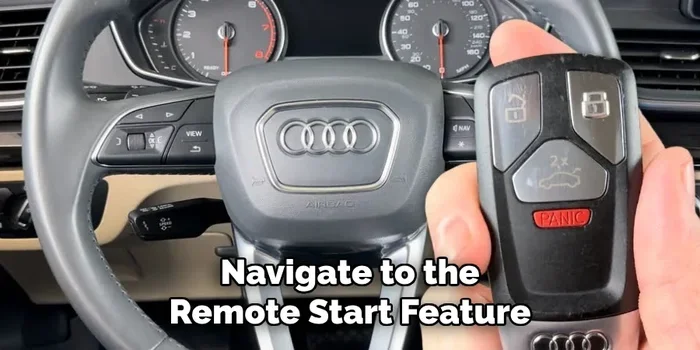
The key fob buttons are your first clue. Most remote start fobs have a special button that looks different from the others. It often shows a curved arrow or the word “START.” This button sends a signal to your car’s computer. The computer then starts the engine remotely. The key fob range is usually between 500 and 1,500 feet, depending on your vehicle.
How to Check if Your Key Fob Has Remote Start
There are several easy ways to find out if your fob supports remote start. You do not need special tools. Just follow these simple steps.
Step 1: Look at Your Key Fob Buttons
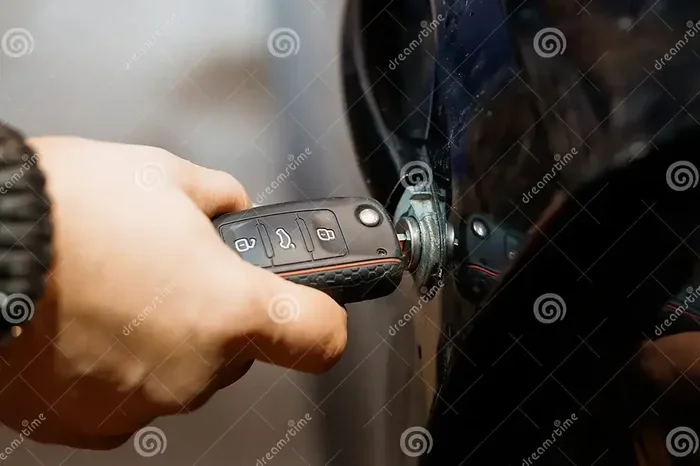
Hold your car key fob in your hand. Look closely at all the buttons. Do you see a button with a curved arrow? Or a button that says “REMOTE START” or just “START”? This is the most obvious sign. If your fob has this button, there is a good chance your car supports remote start.
Compare your fob to pictures online. Search for your car model and year along with “key fob remote start.” You will quickly see if your fob matches. Many people have posted images of their fobs online. This is an easy and fast way to check.
Step 2: Read Your Owner’s Manual
Your owner’s manual is the best source of truth. It tells you exactly what features your car and fob support. Look for a section on “Remote Start” or “Keyless Entry.” The manual will explain every button on your fob. It will also tell you how far away you can be when using remote engine start.
If you lost your manual, do not worry. You can find a free PDF online. Just search for your car make, model, and year plus “owner’s manual PDF.” Most manufacturers offer them for free on their websites.
Step 3: Check Your Vehicle Settings
Many modern cars let you enable or disable remote start through the dashboard settings. Get in your car and turn on the infotainment screen. Look for a “Vehicle Settings” or “Remote Start” option. If you see it there, your car likely supports the feature. You may just need to turn it on or pair it with your fob.
Some cars require a key fob programming step to activate remote start. This is common with newer vehicles. You may need to follow a specific sequence of button presses. Your manual or dealer can walk you through this process.
Step 4: Test It Safely
Stand near your car. Press the remote start button on your fob. Wait a few seconds. Do the engine turn on? If yes, your fob has remote start. If nothing happens, your fob may not support this feature.
Be careful when testing. Make sure you are in a safe, open area. Do not test near buildings or other cars. The engine will run for a set time, usually 10 to 15 minutes. After that, it will shut off automatically. This safety feature prevents your car from running forever.
Common Signs Your Key Fob Supports Remote Start
Here are the most common signs that your key fob has remote start capability. If you see any of these, your fob likely supports the feature.
- A dedicated remote start button: This is the biggest giveaway. The button usually has a curved arrow or “R” symbol.
- Two sets of buttons on the fob: Some fobs have a lock/unlock section and a separate remote start section.
- A thicker fob design: Fobs with remote start often have more buttons, making them slightly bulkier than basic fobs.
- “Remote Start” printed on the fob: Some manufacturers print the words directly on the fob casing.
- Your car came with a remote start package: If you bought your car with a remote start package, the fob will definitely support it.
- A “START” button that works from a distance: If pressing the button while standing away from the car starts the engine, you have remote start.
What If Your Key Fob Does Not Have Remote Start?
Do not worry if your fob does not have remote start. You have options. Many car owners add this feature after purchase. It is more common than you think. Let us look at what you can do.
Option 1: Upgrade Your Key Fob
You can sometimes get a new fob from your dealer that includes remote start. This is called a key fob change or key fob upgrade. The dealer will program the new fob to work with your car. This option works best if your car already has the hardware for remote start but came with a basic fob.
You can also order a replacement fob by your VIN number. This ensures you get the exact fob that matches your vehicle. Check with your dealer for pricing and availability.
Option 2: Add an Aftermarket Remote Start System
If your car does not support remote start at all, you can add an aftermarket system. An aftermarket key fob with remote start is widely available. These systems work with most cars and trucks. A professional installer can set one up for you in about an hour.
Make sure to choose a quality aftermarket system. Cheap systems can cause problems with your car’s electrical system. Look for brands with good reviews and warranties. You can also ask your local auto shop for recommendations on remote start installation.
Option 3: Check if Push Button Start Cars Can Get Remote Start
If your car has push button start, you may wonder if you can add remote start. The answer is yes, in many cases. Some push button start vehicles can be upgraded with a remote start module. This module communicates with your car’s computer and allows remote engine start.
However, not all push button start cars support this. Check with a professional installer or your dealer first. They can tell you if your specific model is compatible with a remote start module addition.
How Remote Start Key Fobs Work
Understanding how remote start works helps you appreciate the feature more. Here is a simple breakdown of the process.
- You press the remote start button on your fob.
- The fob sends a coded signal to your car’s receiver.
- The car’s computer receives the signal and verifies it.
- If the signal is valid, the computer starts the engine.
- The car runs for a set time, usually 10 to 15 minutes.
- You get in and press the brake pedal to drive away.
The key fob signal is encrypted for security. This prevents someone else from starting your car. The system also checks if the car is in park before it will start. These safety features protect you and your vehicle.
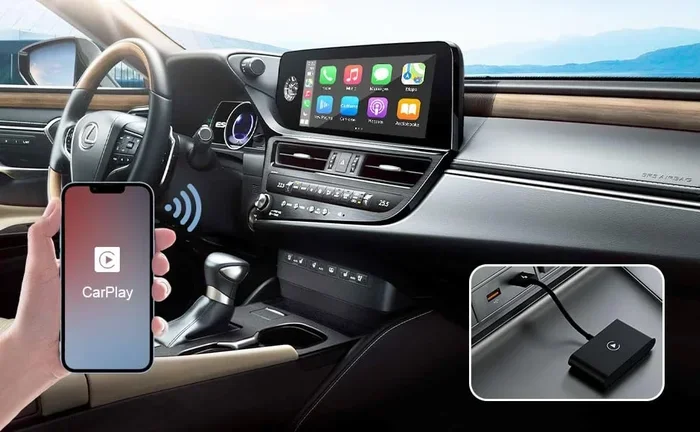
Some advanced smart key fob systems let you start your car from your phone. You use a mobile app to send the start command. This works through Bluetooth or cellular connection. It is like having a phone app to unlock car but with engine start added. This technology is growing fast and appears in more new cars every year.
Tips for Using Remote Start Safely
Remote start is a great feature, but you should use it safely. Here are some practical tips to keep in mind.
- Never leave your car running unattended in an enclosed space. This includes garages. Carbon monoxide is a real danger.
- Always make sure your car is in park before using remote start. This prevents accidental movement.
- Know your fob range. Stand within the effective distance. If you are too far away, the fob signal may not reach the car.
- Replace your fob battery regularly. A weak battery can cause remote start to fail. A fresh battery keeps everything working smoothly.
- Use remote start in cold weather wisely. Letting your car warm up for 5 to 10 minutes is enough. You do not need to run it for 15 minutes every time.
- Keep your fob away from other key fobs. Multiple fobs can interfere with the signal. Store them separately to avoid confusion.
These simple habits keep you safe and extend the life of your remote start system. They also ensure your key fob functions work reliably every time you need them.
Do You Need Professional Help for Remote Start?
Some car owners try to install remote start themselves. This can work if you have experience with car electronics. However, most people benefit from professional installation. A trained technician knows how to wire the system correctly. They also understand your car’s specific wiring diagram.
Improper installation can damage your car’s electrical system. It can also void your warranty. For these reasons, professional remote start installation is the safer choice. A good installer will also test the system thoroughly before you leave the shop.
If you are unsure about your car’s key fob compatibility with aftermarket systems, ask a professional. They can assess your vehicle and recommend the best option. Many shops offer free consultations for remote start upgrades.
Conclusion
Figuring out if your key fob has remote start does not have to be confusing. You have several ways to check. Look at your fob buttons, read your manual, check your car settings, or simply test it. Each method is easy and takes just a few minutes.
If your fob does not have remote start, you are not stuck. You can upgrade your fob, add an aftermarket system, or explore push button start compatible options. The key is to know what your car supports and then take the right next step.
Take a few minutes today to check your key fob remote start capability. You might discover a feature you have been missing. And if you do not have it, now you know exactly how to get it. Your future self will thank you on those cold winter mornings.
Frequently Asked Questions
How do I know if my key fob has remote start?
Look for a dedicated button on your fob that has a curved arrow or “START” symbol. Check your owner’s manual for a section on remote start features. You can also test the fob by standing near your car and pressing the button to see if the engine starts.
Can I add remote start to my car if my key fob does not have it?
Yes, you can add remote start through an aftermarket system or by upgrading your key fob. A professional installer can set up a remote start module that works with your car. Check with your dealer or a trusted auto shop to see what options are available for your vehicle.
Is remote start safe for my car engine?
Yes, remote start is safe and designed by car manufacturers. It includes safety features like requiring the car to be in park and shutting off automatically after a set time. Modern remote start systems are reliable and will not harm your engine when used correctly.
How far can I be from my car when using remote start?
The typical range is between 500 and 1,500 feet, depending on your vehicle and fob type. Obstacles like walls and buildings can reduce the range. Check your owner’s manual for the specific range of your remote start key fob.
Can I use remote start with a push button start car?
Many push button start cars support remote start, but not all of them. Some require an additional module or upgrade to enable the feature. Check with your dealer or a professional installer to confirm if your specific push button start vehicle supports remote start.
What should I do if my remote start button does not work?
First, check if your fob battery needs replacing. A weak battery often causes remote start to fail. If the battery is fresh, consult your owner’s manual for troubleshooting steps. You may also need to reprogram your fob or have a professional check the remote start system.
=== INTERNAL LINKS ===
If you are considering upgrading your fob, check out how to change your key fob to remote start for more details.
Not sure if your fob can start your car at all? Read this guide on whether your key fob can start your car to understand the basics.
For vehicles with push button start, you might want to learn how to add remote start to a car with push button start for compatible options.