Can I Unlock My Car With A Phone App And Start Driving
Yes, you can unlock your car with a phone app and start driving in many modern vehicles. Phone-as-a-key technology lets you use your smartphone as a digital car key through Bluetooth, NFC, or Ultra-Wideband. This keyless entry system offers incredible convenience, enhanced security, and remote car app connectivity that makes traditional keys feel outdated.
Have you ever stood outside your car in the rain, fumbling for keys, and thought there has to be a better way? Good news. Can I unlock my car with a phone app and start driving? The answer is a resounding yes for millions of drivers worldwide. Phone-as-a-key technology has transformed how we interact with our vehicles. What once felt like science fiction is now a everyday reality in modern cars.
Whether you drive a brand-new electric vehicle or a recent model from a major manufacturer, chances are your car already supports some form of smartphone car control. Remote car start, keyless entry, and digital ignition are no longer luxury features. They are becoming standard in vehicles across all price ranges. In this guide, we will walk you through everything you need to know about using your phone to unlock and start your car.
We will cover how the technology works, which cars support it, how to set it up, and whether it is safe. By the end, you will have a clear picture of why phone-based car access is one of the most exciting developments in connected car features today.
Key Takeaways
- Phone-Based Car Access Is Real: Many new cars let you unlock and start the engine using just your smartphone through dedicated apps and digital key technology.
- Multiple Technologies Power It: Bluetooth, NFC, and Ultra-Wideband work together to create a seamless wireless car key experience that is both secure and convenient.
- Compatibility Matters: Not every car supports app-based car access. You need to check if your vehicle model and year are compatible with smartphone vehicle integration.
- Security Is Strong: Digital car keys use advanced encryption and proximity sensors to prevent unauthorized access and keep your vehicle safe.
- Setup Is Simple: Most vehicle mobile apps guide you through pairing your phone step by step, making the process easy for anyone.
- Backup Options Exist: If your phone dies, most systems offer a physical key backup or a secondary device pairing option.
📑 Table of Contents
- How Phone-Based Car Unlocking Works
- Which Cars Support Phone App Unlocking?
- How To Set Up Phone-Based Car Access
- Benefits Of Using A Phone App To Unlock And Start Your Car
- Common Problems And How To Fix Them
- Is It Safe To Unlock Your Car With A Phone App?
- Quick Tips For Getting The Most Out Of Phone-Based Car Access
- Key Takeaways
How Phone-Based Car Unlocking Works
The idea of using your phone to unlock your car sounds magical. But the technology behind it is surprisingly straightforward. Your smartphone acts as a mobile key fob that communicates with your car using wireless signals. When you approach your vehicle, the car detects your phone and knows it is you.
The Technology Behind Digital Car Keys
Most phone-based car access systems rely on one or more of these three wireless technologies:
- Bluetooth Low Energy (BLE): This is the most common method. Your phone sends a signal to your car when you are nearby. The car unlocks automatically. BLE uses very little battery and works reliably within about 30 feet of your vehicle.
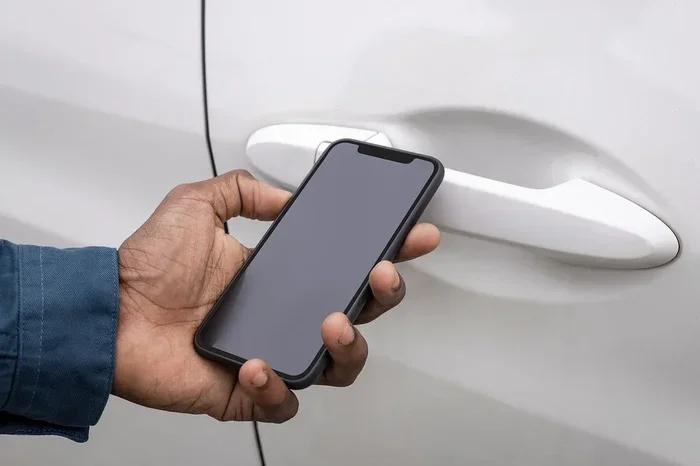
- Near Field Communication (NFC): You tap your phone against a specific spot on the car to unlock it. NFC is fast and secure. It requires very close proximity, which adds an extra layer of protection.
- Ultra-Wideband (UWB): This is the newest and most precise technology. UWB can detect exactly where your phone is in relation to your car. This means your car only unlocks when you are standing right next to it, not when someone is standing across the street with a cloned signal.
Together, these technologies create a vehicle proximity sensor system that knows when you are legitimately near your car. This is the foundation of smart car technology that makes app-based car access feel effortless.
Bluetooth Car Unlock and Remote Engine Start
One of the most popular features of car app connectivity is the ability to start your engine remotely. Imagine sitting in a warm car on a cold winter morning or cooling down your car on a hot summer day. With a remote engine start feature, you can do exactly that from your phone.
The process works like this. You open the car security app on your phone, press the start button in the app, and the car ignites. The doors remain locked for safety. You can set a timer so the engine turns off after a set period. This feature is especially popular in colder climates and among people who want to arrive at their car already comfortable.
Which Cars Support Phone App Unlocking?
Not every car on the road supports digital car key functionality. But the list of compatible vehicles is growing fast. Most new cars from major brands now include smartphone vehicle integration as either standard or optional equipment.
Popular Car Brands With App Control
Here are some of the most well-known brands that offer phone-as-a-key technology:
- Tesla: Tesla was a pioneer in this space. Every Tesla uses a phone app as the primary way to unlock and start the car. The Tesla app supports Bluetooth car unlock and even lets you share digital keys with friends and family.
- BMW: BMW offers a digital key through its ConnectedDrive system. You can add your phone as a key and use it to unlock doors and start the engine.
- Ford: FordPass Connect allows owners to lock, unlock, and start their vehicles remotely. Many newer Ford models support digital ignition through the phone app.
- Chevrolet: Chevrolet MyLink and the Chevrolet app offer remote start, lock, and unlock features for compatible models.
- Hyundai and Kia: Both brands offer Bluelink and UVO systems that support remote car start and phone-based access.
- Mercedes-Benz: Mercedes me connect provides a digital key experience that works with both Apple and Android devices.
Checking If Your Vehicle Is Compatible
If you are not sure whether your car supports app-based car access, here is what you should do:
- Check your owner’s manual for mentions of keyless entry or digital key features.
- Visit your car manufacturer’s website and look up your specific model and year.
- Download the manufacturer’s app from the App Store or Google Play. If your car is compatible, the app will walk you through the setup process.
- Call your dealer and ask directly about smartphone car control support for your vehicle.
Keep in mind that some features may require a subscription or a software update. Older model years might not support all connected car features, even if the hardware is present.
How To Set Up Phone-Based Car Access
Setting up phone-based car access is easier than most people expect. The process typically takes about 10 to 15 minutes. Here is a general overview of what to expect.
Downloading The Right App
First, you need the correct app for your vehicle. Almost every car manufacturer has its own dedicated app. Some examples include the Tesla app, BMW Digital Key, FordPass, and Chevrolet MyLink. Go to your phone’s app store, search for your car brand, and download the official app.
Make sure you are downloading the official app from the manufacturer. Third-party apps may not be secure or may not work with your vehicle. Always check the developer name and reviews before installing.
Pairing Your Phone To Your Car
Once the app is installed, the pairing process usually follows these steps:
- Open the app and create an account or sign in.
- Navigate to the digital key or keyless entry section.
- Follow the on-screen instructions to place your phone near the car’s door handle or designated NFC spot.
- Wait for the confirmation that your phone has been paired successfully.
- Test the system by walking away from your car and then approaching it to see if the doors unlock automatically.
Some systems also let you add a second phone or a smartwatch as a backup key. This is incredibly useful if you are worried about your phone battery dying. The vehicle mobile app will guide you through adding additional devices step by step.
Benefits Of Using A Phone App To Unlock And Start Your Car
Switching from a traditional key to a phone-based car key comes with several real advantages. Let us look at why so many drivers are making the switch.
Convenience And Time-Saving
The biggest benefit is pure convenience. You never have to dig through your pockets or bag for a key fob. Your phone is always with you. When you approach your car, the doors unlock automatically. You get in, press the start button or use the app, and you are driving.
This is especially helpful when you are carrying groceries, holding a child, or dealing with bad weather. Smartphone vehicle integration means one less thing you need to think about every time you leave the house.
Enhanced Security Features
Modern digital car keys are actually more secure than traditional keys in many ways. Here is why:
- Encryption: The communication between your phone and car is encrypted. It is extremely difficult for hackers to intercept or clone the signal.
- Proximity Detection: UWB technology ensures your car only responds when your phone is genuinely nearby. This prevents relay attacks where thieves amplify your key fob signal from inside your home.
- Remote Lockout: If your phone is lost or stolen, you can immediately disable the digital key through the app. No one else can access your vehicle.
- Activity Logs: Many car security apps keep a log of every lock, unlock, and start event. You can see exactly when and where your car was accessed.
Sharing Access With Family And Friends
One of the most underrated benefits of digital car keys is the ability to share access. Most vehicle mobile apps let you send a digital key to another person’s phone. This means your spouse, teenager, or friend can unlock and start your car without ever needing a physical key.
You can also set permissions. For example, you might allow your teenager to drive the car but set a speed limit or curfew. This level of control is simply not possible with traditional keys.
Common Problems And How To Fix Them
Phone-based car access is generally reliable, but it is not perfect. Here are some common issues and their solutions.
Phone Battery Issues
The most common concern is what happens when your phone dies. Most digital car key systems account for this. Many cars allow you to still unlock the doors using NFC by tapping your phone on a specific reader, even if the battery is low or dead. Some systems also support a backup physical key.
To prepare for this situation, always keep a portable phone charger in your car. Also, make sure you know where your backup physical key is stored. Most manufacturers recommend keeping the backup key in a safe place at home.
App Connectivity Troubles
If your app is not connecting to your car, try these steps:
- Make sure Bluetooth is turned on in your phone settings.
- Restart the app and try again.
- Check for app updates in the App Store or Google Play.
- Restart your phone and your car’s infotainment system.
- Remove and re-add the digital key in the app.
If none of these work, contact your car manufacturer’s support team. There may be a software update available that fixes the issue.
Is It Safe To Unlock Your Car With A Phone App?
Safety is a top concern for any phone-based car key system. The short answer is yes. Modern digital car keys are built with security as a top priority. Let us look at what makes them safe and what you should watch out for.
Encryption And Security Measures
When your phone communicates with your car, the data is encrypted using industry-standard protocols. This means that even if someone intercepted the signal, they could not decode it to gain access to your vehicle. Ultra-Wideband technology adds another layer of security by measuring the exact distance between your phone and your car.
Manufacturers also use something called secure elements built into your phone. This is a separate, tamper-resistant chip that stores your digital key information. Even if someone gains access to your phone’s main operating system, they cannot extract the digital key data.
What Happens If You Lose Your Phone
Losing your phone is stressful enough without worrying about your car. But digital car key systems are designed for this scenario. You can log into the car app from another device and remotely remove the digital key. This instantly locks out the lost phone from accessing your vehicle.
Some systems also have a “lost phone” mode that puts the car in a temporary state where it cannot be unlocked by any phone until you verify your identity and re-pair a new device.
Quick Tips For Getting The Most Out Of Phone-Based Car Access
Here are some practical tips to make your smartphone car control experience smooth and hassle-free:
- Keep your app updated. Manufacturers regularly release updates that improve performance and fix bugs.
- Enable automatic app updates on your phone so you always have the latest version.
- Set up a backup key method in the app before you rely solely on your phone.
- Learn the NFC tap location on your car. This is your fallback if Bluetooth fails.
- Monitor battery levels for both your phone and your car’s 12-volt battery. A weak car battery can affect keyless entry performance.
- Explore all the features in your car’s app. Many drivers only use a fraction of what is available, including remote car start, lock status, and vehicle health reports.
Key Takeaways
- Phone-Based Car Access Is Real: Many new cars let you unlock and start the engine using just your smartphone through dedicated apps and digital key technology.
- Multiple Technologies Power It: Bluetooth, NFC, and Ultra-Wideband work together to create a seamless wireless car key experience that is both secure and convenient.
- Compatibility Matters: Not every car supports app-based car access. You need to check if your vehicle model and year are compatible with smartphone vehicle integration.
- Security Is Strong: Digital car keys use advanced encryption and proximity sensors to prevent unauthorized access and keep your vehicle safe.
- Setup Is Simple: Most vehicle mobile apps guide you through pairing your phone step by step, making the process easy for anyone.
- Backup Options Exist: If your phone dies, most systems offer a physical key backup or a secondary device pairing option.
Frequently Asked Questions
Can I unlock my car with a phone app if I have an older vehicle?
It depends on the model and year. Some older vehicles can be upgraded with aftermarket keyless entry modules that connect to your phone. However, native phone-based car access works best with newer models that have built-in smart car technology. Check with your manufacturer or dealer to see if your specific vehicle is compatible.
What happens if my phone battery dies and I need to unlock my car?
Most digital car key systems have a backup method. You can typically tap your phone on the NFC reader located near the door handle to unlock the car, even with a dead battery. Additionally, many systems support a physical backup key that you should keep in a safe place at home.
Is using a phone app to start my car safe from hackers?
Yes. Modern car security apps use strong encryption and Ultra-Wideband technology to prevent unauthorized access. The digital key stored on your phone is protected by a secure chip that is extremely difficult to breach. Always keep your phone and app updated for the latest security patches.
Can I share my digital car key with someone else?
Absolutely. Most vehicle mobile apps let you share a digital key with family members or friends through a simple invitation process. You can often set permissions, such as restricting when or how fast the car can be driven. This makes app-based car access incredibly convenient for households with multiple drivers.
Does using my phone as a car key drain my battery faster?
Not significantly. Bluetooth Low Energy and Ultra-Wideband technologies are designed to use minimal power. Most users do not notice any meaningful difference in battery life. If you are concerned, you can turn off the digital key feature in the app when you are not using it.
Can I use my phone to unlock any car brand?
No. Smartphone vehicle integration varies by manufacturer. Tesla, BMW, Ford, and several other brands support phone-as-a-key technology, but the systems are not cross-compatible. You need to use the specific app from your car’s manufacturer. Always verify compatibility before purchasing a vehicle based on this feature.
=== CONCLUSION ===
The question can I unlock my car with a phone app and start driving has a clear and exciting answer: yes. Phone-based car access has moved from a novelty to a standard feature in many modern vehicles. With keyless entry, remote engine start, and digital ignition all available at your fingertips, the days of digging for keys are fading fast.
The technology is secure, the setup is simple, and the benefits are real. Whether you value convenience, enhanced security, or the ability to share access with loved ones, smartphone car control delivers on all fronts. As connected car features continue to evolve, we can expect even more seamless and intelligent ways to interact with our vehicles.
If you have not yet explored what your car’s app can do, now is the perfect time. Download the app, follow the setup guide, and experience the future of car lock systems for yourself. You will wonder how you ever drove without it.